One of my favourite sessions at TechAbility2024 was one that covered all things Music and AT. Charlie Baxter, from The Music Works shared a multitude of resources, information and technology with attendees, and I wanted to share one of my favourites!
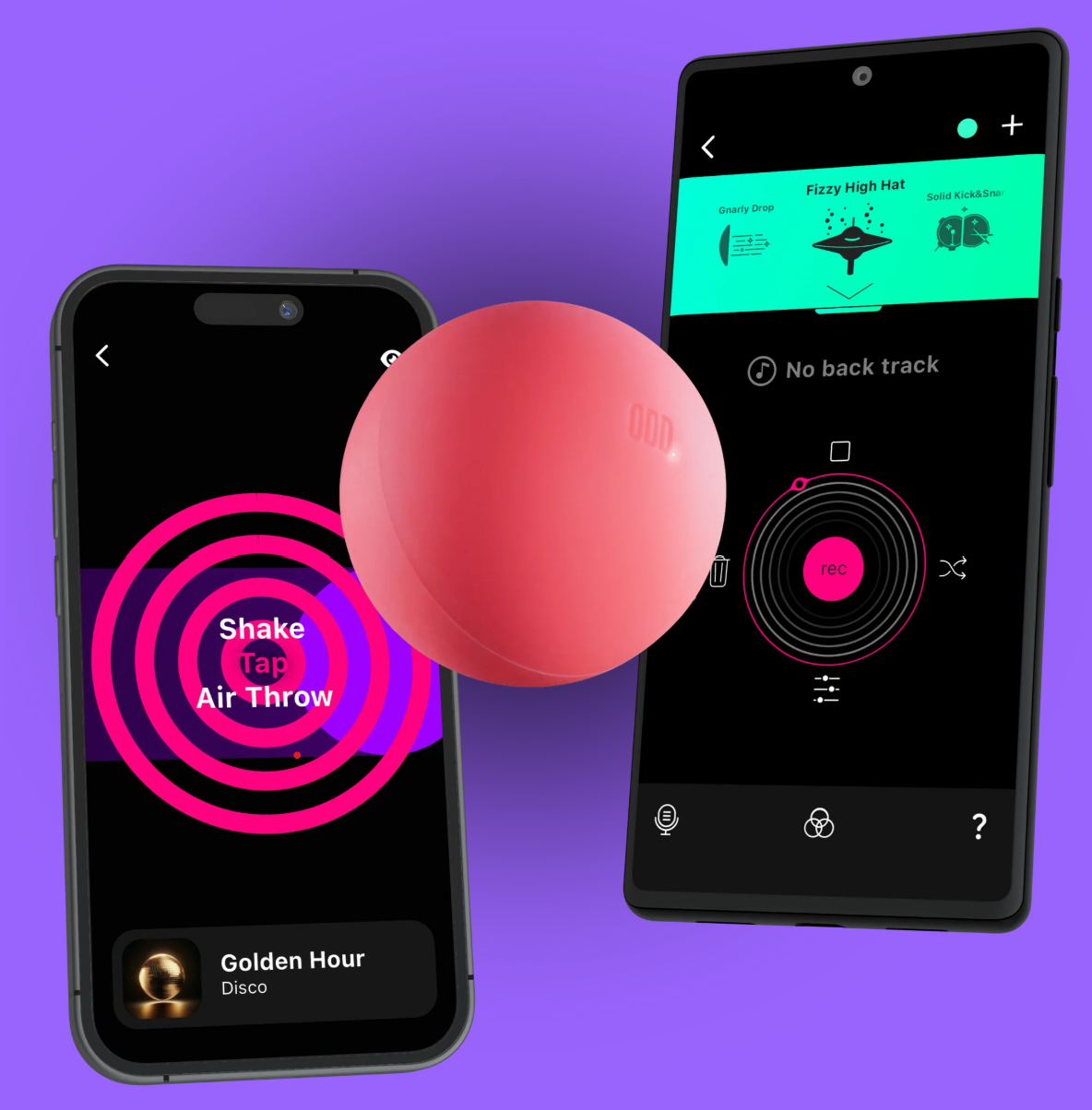
Put simply, Odd Ball responds to motion or tactile contact, to initiate sounds. The specific sounds are controlled within its' partner app (iOS and Android compatible). Activation of the ball through 'tap', 'shake' or 'air throw' movements allow the user to create music, either as a single instrument, or as part of DJ style games. I particularly like that you can record audio of your own, maybe some interesting classroom sounds, alternative instruments, or sung lines from highly motivating songs of the user. The ability to customise technology in this way is what really interested me about this product.
From an accessibility perspective, I was interested to actually have a go with the Odd Ball after Charlie's presentation. It had been thrown around the room with excellent results, playing the audio from the host iPad's Bluetooth speaker (the audio will play from the host device speaker if there isn't a peripheral attached).
This is a durable silicone ball, very much designed to be thrown at the floor A LOT. When exploring just how sensitive the 'tap' option was, I was definitely impressed. With some of my own clients in mind, it was certainly sensitive and versatile enough to provide opportunity for so many individuals to explore their creativity with music. A gentle 'tap' or 'shake' was enough to play sounds, and that opened up plenty of ideas of how I might integrate this day-to-day.
You can also have several Odd Balls connected at once - lots of scope for really creative, fun and collaborative play that can be customised for your user groups.
Watch this space for the Odd Ball Band maybe? ...
Talk to us about a client
Call 01765 824971 or send us a message. We'll send you our assessment quote and the CV of the consultant who would carry out the assessment.