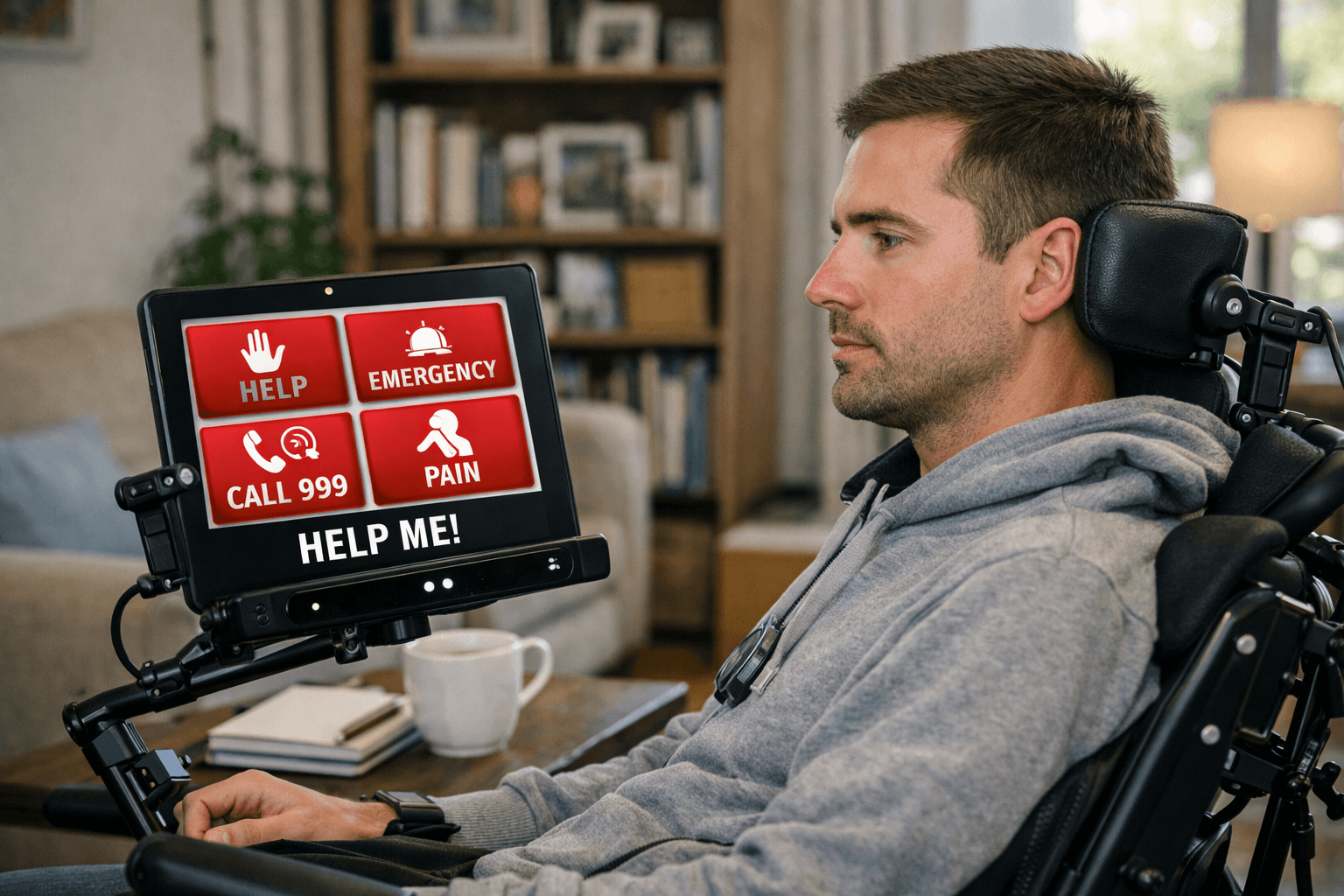
Being able to summon help is vital for all of us, but something that admittedly, I hadn’t always considered when setting up eye gaze devices for clients. Several of our clients use eye gaze technology to operate a device. This means that instead of using their hands to navigate a screen they control it with their eyes.
Some of our clients are often at home with just one other individual whether that be a support worker, parent, child or partner. Typically, where a client uses AAC (Augmentative and Alternative Communication device to replace or supplement speech) to communicate they would rely on the care giver summoning emergency assistance if needed but what if it is the care giver that needs the assistance? Yes, they have alarms to summon help in their home, but I’d never considered what they would do if they needed to summon help externally, how would they explain quickly what the issue was.
A client recently experienced a situation where they may have needed to call for assistance. Thankfully it wasn’t needed but did prompt me to think that if this was the case, clients using devices to communicate need to have some pre-programmed phrases to help them communicate quickly and effectively with the emergency services. In addition to that I reflected upon whether the spoken phrases would be heard clearly by the receiver and could the client navigate this?
Initially we did some experimental calls between the client and I to see whether they could navigate their communication grid whist on a phone call. This client is a proficient user of eye gaze and extremely confident with their device. We established that the client could make a phone call and navigate back to their communication grid whilst remaining on the call and communicating effectively with me using their communication grid.
Once this was established, we then began to create a bank of phrases that may be required in the event of an emergency. Initially we created a single cell that would inform the operator that the client is using a communication device and to allow them time to type. The cell also detailed the client’s address, date of birth and phone number. After trialling this I then thought these might be better on individual cells allowing the client to select the cells as and when required. We also created some additional phrases that may be useful in an emergency. Whist we couldn’t envisage every scenario; we created a range of them that would require emergency assistance.
We did several role plays to ensure that the information being given was presented in an accessible way for the operator. This identified that additional pauses were required when speaking their address and phone number.
The client and their support network are now confident that they can summon help in an emergency if required. However, they are hopeful that this will never be needed.
Talk to us about a client
Call 01765 824971 or send us a message. We'll send you our assessment quote and the CV of the consultant who would carry out the assessment.