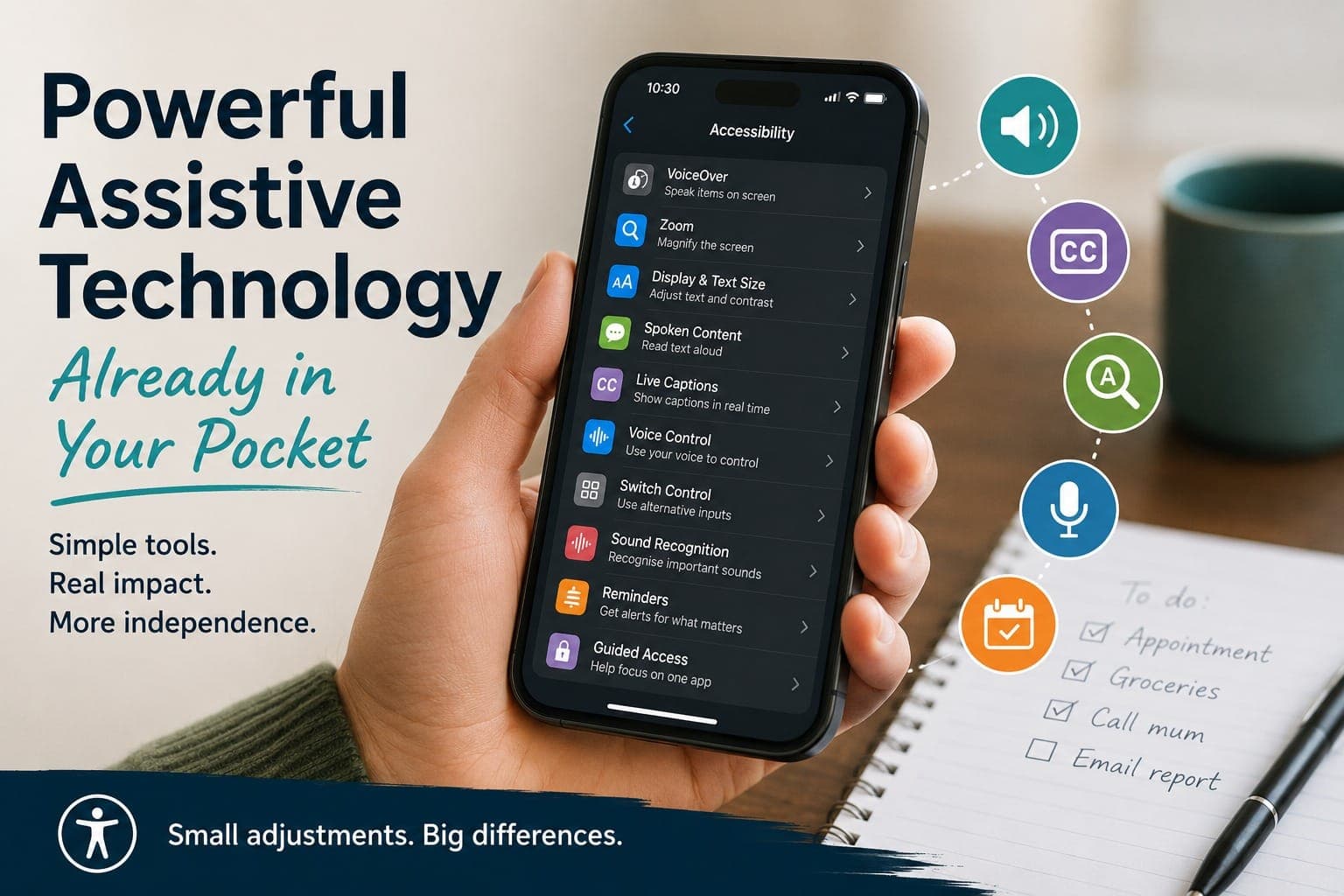
When people hear the term "assistive technology", they often picture specialist equipment, dedicated software, or devices designed for a particular disability. Those tools absolutely have their place, but sometimes the most useful piece of assistive technology is already sitting in your pocket.
Modern smartphones have quietly become some of the most adaptable devices many of us own. Over the years, manufacturers have built in a growing range of accessibility features, often in response to feedback from disabled users themselves. The result is that many people are carrying around tools that could make everyday life easier without ever realising they're there.
For professionals supporting people with disability, brain injury, neurodivergence, fatigue, or age-related changes, it is often worth exploring what a person's existing device can already do before looking at additional solutions.
Looking Beyond Bigger Text
A common starting point is adjusting text size, but accessibility settings now go much further than that.
Someone who finds reading tiring may benefit from having text read aloud. A person with low vision might use screen magnification or increased contrast. Others may find that changing colour settings reduces visual stress and makes information easier to process.
One of the most impressive developments in recent years has been the ability for phones to recognise and interact with text in the physical world. Pointing a camera at a menu, letter, timetable, or noticeboard can instantly turn printed information into digital text that can be enlarged, copied, translated, or spoken aloud.
For many users, that can be the difference between needing support and being able to access information independently.
When Listening Becomes Easier Than Reading
There are days when concentration is limited, fatigue is high, or there simply isn't enough energy left for reading another screen full of text.
Text-to-speech tools can help reduce some of that effort. Emails, documents, articles, and web pages can often be listened to instead of read. For some people, hearing and seeing information at the same time can also improve understanding and retention.
This is particularly relevant for people experiencing cognitive fatigue, dyslexia, brain injury, or difficulties with attention and information processing.
Technology does not remove those challenges, but it can sometimes reduce the amount of work required to navigate them.
Supporting Communication in Different Ways
Communication needs vary enormously from person to person, and smartphones now offer a surprising amount of flexibility.
Live captions can make videos, meetings, and calls more accessible for people who are deaf or hard of hearing. Voice dictation can help those who find typing difficult or tiring. Predictive text and alternative keyboards can reduce the physical and cognitive effort involved in writing.
For some individuals, these features are convenient. For others, they are essential.
That distinction is important because accessibility features are often judged by how sophisticated they appear rather than by the impact they have on daily life.
The Role of Technology in Memory and Organisation
One of the most common challenges discussed during assistive technology assessments is not physical access but managing the demands of everyday life.
Remembering appointments. Keeping track of tasks. Starting activities at the right time. Following routines. Managing multiple responsibilities without becoming overwhelmed.
Many of us use digital reminders and calendars for these purposes. The difference is that for someone living with ADHD, brain injury, cognitive changes, or significant fatigue, these tools may function as an important external support system.
A well-timed reminder can prevent a missed appointment. A simple checklist can reduce anxiety. A recurring prompt can help establish a routine that might otherwise be difficult to maintain.
Sometimes the most effective assistive technology is not complicated. It is simply reliable.
Starting Small
Accessibility settings can feel overwhelming when viewed all at once. Most smartphones contain dozens of features, and not every feature will be useful for every person.
A better approach is often to start with a single challenge.
If reading is difficult, explore text-to-speech.
If remembering tasks is a struggle, look at reminders and scheduling tools.
If typing is tiring, experiment with voice dictation.
If visual information is hard to access, investigate display and magnification settings.
Small adjustments can have surprisingly large effects when they address a genuine barrier.
Final Thoughts
There is sometimes a tendency to think that assistive technology always involves finding something new. In practice, it can be just as valuable to uncover tools that are already available.
The most successful solutions are rarely the most complex. They are the ones that fit naturally into a person's life, support their goals, and reduce barriers in meaningful ways.